This article contains affiliate links. If you make a purchase through these links, we may earn a small commission at no extra cost to you. Learn more.
Why Campground WiFi Rarely Cuts It
In Moab, Utah — one of the most popular RV destinations in the country — the local RV Facebook group has a pinned post warning full-timers to test cell signal before booking. That's the reality of RV internet: campground WiFi exists, but it's almost universally inadequate for anything beyond casual browsing.
Dozens of RVs share a consumer-grade router on a slow rural connection. Speeds that barely load a webpage, let alone support a video call. For remote work, streaming, or video conferencing, you need your own solution — and building one is more straightforward than most RVers expect.
Building Your Own Cellular Hotspot
A cellular hotspot — your phone's hotspot feature or a dedicated MiFi device — is the most practical primary internet source for most RVers. It runs on the same cell towers as your phone calls, and it works wherever you have service. The challenge is choosing a carrier, and this is where RV travelers quickly learn that coverage maps don't reflect campground reality.
In RV forums and destination-specific Facebook groups, Verizon is commonly cited as having the strongest rural reach — particularly in places like the rural Southwest corridor, the Ozarks, and remote Colorado, where other carriers thin out. T-Mobile comes up frequently as the better value: solid in most popular camping regions and often more generous with data terms, though many RVers report it falls short in more isolated spots. AT&T sits in the middle — consistent coverage, competitive plans, and a natural pairing with Verizon for travelers who want a backup. Many full-timers run a dual-carrier router using SIM cards from two providers simultaneously.
Coverage is genuinely regional. Verizon tends to outperform in the rural West; T-Mobile often wins along the Pacific Northwest coast and mid-Atlantic. Your best research source is asking in destination-specific groups before you arrive — a report from someone parked at your target campground last week beats any carrier map.
Data limits: Most major "unlimited" hotspot plans typically throttle speeds after you've used through your priority data — the exact threshold shifts by plan and changes from year to year, so check your carrier's current fine print before assuming. For remote workers, business-tier plans and FMCA member discounts sometimes unlock higher-priority data caps worth looking into.
Signal Boosters: Squeezing More from Marginal Coverage
A cellular signal booster amplifies weak signals inside your RV. In areas where you have 1–2 bars, a booster can meaningfully improve speeds and reliability — sometimes enough to make a campsite workable that would otherwise be frustrating.
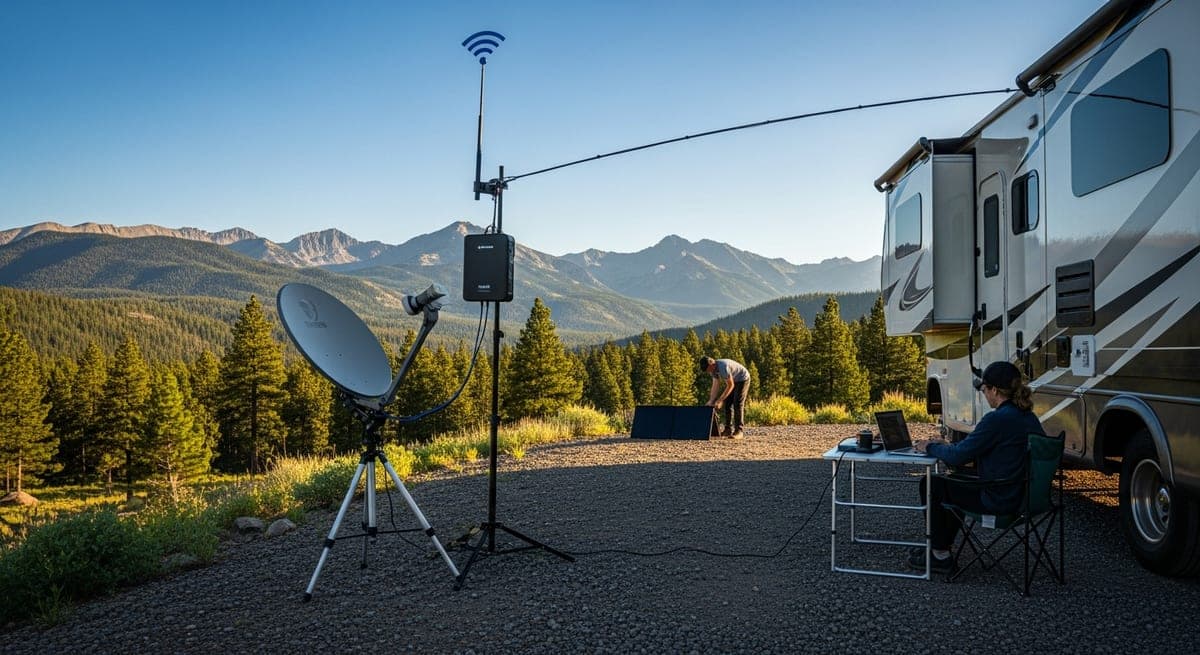
The weBoost Drive Reach RV is the most widely recommended option in the RV community. It includes a roof-mounted outdoor antenna, an interior antenna, and an amplifier, and it works across all carriers simultaneously. Check current pricing directly at weBoost.com before buying — it's historically run in the $500–$650 range, but retail prices shift. Installation takes 1–3 hours; the kit includes everything needed for a basic roof mount and cable run.
One thing to know upfront: a booster amplifies existing signal. Zero bars means zero to amplify. It earns its keep in the fringe-coverage zones that make up a surprising chunk of popular campgrounds — dispersed BLM sites in Nevada, spots along the Finger Lakes in upstate New York, or anywhere you're pulling one bar of Verizon but nothing else.
Starlink: What It Actually Delivers (and Where It Stumbles)
SpaceX's Starlink satellite internet has changed the equation for RVers who camp in genuinely remote areas. The Roam plan is built for mobile use — you can pause service between trips (pricing has shifted over time, but the pause/active structure has typically run around $25/month paused vs. $150/month active; verify current rates before subscribing). Hardware has been around $599 for the dish and mounting kit.
Where Starlink earns its reputation is in places like the Colorado Rockies, dispersed sites in the Mojave, or remote Alaska Highway camping — locations where no cell carrier has coverage. In open-sky conditions, speeds are typically fast enough for video calls, streaming, and remote work. The catch is equally real: Starlink requires a clear view of the sky. Dense tree cover blocks the signal. In heavily wooded campgrounds — Smoky Mountains sites, Pacific Northwest forest camps — performance can degrade to the point of being unreliable.
If you camp primarily in areas with solid Verizon or T-Mobile coverage, Starlink is probably overkill. The math shifts quickly once you're regularly dry camping in remote desert or mountain terrain, where it often becomes the only option that works consistently.
Matching the Setup to How You Actually Camp
- Occasional RVer / casual use: Phone hotspot plus campground WiFi where available. Cost: nothing extra beyond your existing phone plan.
- Regular RVer / light remote work: Dedicated hotspot device plus weBoost signal booster. A reasonable ballpark is $150–$200/month total, depending heavily on your carrier plan.
- Full-timer / heavy remote work: Dual-carrier mobile router (Verizon + T-Mobile SIMs) plus Starlink for remote camping. Expect $350–$450/month when fully active — but it's the closest thing to reliable-everywhere coverage the RV world has found.
Related: Full-time RV living guide · RV solar power guide · RV campground etiquette guide
Ready to Plan Your Trip?
Put this knowledge to work. Let our AI build a personalized RV itinerary for your next adventure — or browse community trips for inspiration.