This article contains affiliate links. If you make a purchase through these links, we may earn a small commission at no extra cost to you. Learn more.
The Real Challenge of RV Remote Work
Most full-time working RVers burn through 30–50GB of cellular data in a single week of video calls — before streaming, backups, or a partner working the same connection. Campground WiFi won't touch that load. Working from an RV means solving three problems traditional remote workers never face: reliable connectivity wherever you park, enough power to run a real workstation all day, and a workspace that doesn't wreck your body by Thursday. Nail all three and you're genuinely living the dream. Miss one and every work week is a fire drill.
Connectivity: The Non-Negotiable
Campground WiFi is a punchline among working RVers. It's almost never reliable enough for video calls, and it's a security nightmare. Build your own connectivity independent of wherever you park.
The baseline: Dual-carrier cellular setup. A cellular router with SIM cards from two different carriers — typically Verizon and T-Mobile — covers ground that either carrier alone misses. Where one drops, the other usually holds. A dedicated cellular router (not your phone's tethering) delivers more stable throughput across a full workday without killing your phone battery.
Recommended data plans: Look for unlimited data plans with high-priority data allocations of 50GB or more. As of early 2026, Verizon's business hotspot plans and T-Mobile's home-internet-style plans are among the more popular options in RV communities — but carrier offerings shift often, so verify current terms before committing. Reddit's r/fulltimervliving keeps reasonably current threads on what's actually working for people on the road.
Signal boosters: A weBoost Drive Reach or weBoost RV booster (typically $400–$600) amplifies cellular signal from nearby towers. In marginal areas — not dead zones, but weak spots — a booster often turns an unusable connection into a working one. We've seen it make a real difference camped at Montaña del Oro State Park near Morro Bay, CA, where T-Mobile signal from the Morro Bay tower is marginal but usable with a boost. Worth the investment if you travel rural routes regularly.
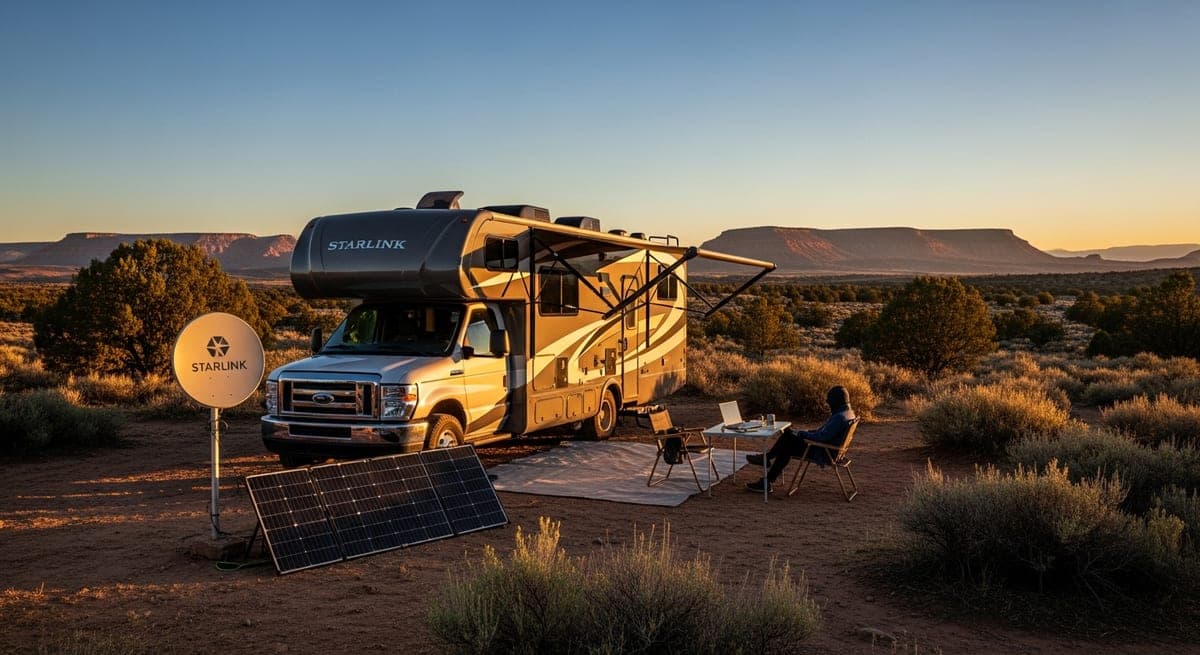
Starlink: For full-timers who spend real time in remote areas, Starlink's mobile/roam tier provides satellite internet with download speeds of 50–200 Mbps in most locations. Latency is low enough for video calls. Pricing has shifted over the past year, so check Starlink's current site for the latest hardware and monthly rates — the cost is meaningful, but many serious working RVers consider it the single best reliability upgrade available. It covers ground cellular can't.
Power: Running a Real Workstation All Day
A modern laptop and monitor draw 50–150W combined. Eight hours at 100W average means 800Wh consumed before you factor in phone charging, lighting, or a coffee maker. That math has to work before you commit to a boondocking stretch.
At campgrounds with hookups: Shore power solves it. Plug in, run whatever you need. The real planning goes into boondocking days.
Boondocking power math: A 200Ah 12V lithium battery bank holds roughly 2,400Wh usable. At 100W average draw, that's about three full workdays of laptop power without solar recharge — less if you're adding a monitor, coffee maker, and multi-device charging. Size your battery bank and solar array against your actual consumption, not a generic estimate. We've run a two-person working setup (two laptops, one external monitor, full lighting) out of a 400Ah lithium bank with 400W of rooftop solar in Sedona, AZ for four consecutive days without dropping below 60% state of charge. Your results vary with cloud cover and seasonal sun angle.
Inverter quality matters: Use a pure sine wave inverter for any sensitive electronics. Modified sine wave inverters can degrade laptop power supplies and charging equipment over time — not immediately, but over months of full-time use.
Generator backup: Even a well-sized solar-and-battery system hits limits in cloudy stretches. A quiet inverter generator (Honda EU2200i or Yamaha EF2200iS) gives you a reliable fallback without bothering neighbors. Many campgrounds restrict generator hours — know the rules before you rely on one as a primary backup.
Workspace Ergonomics: The Section That Saves Your Back
The dinette-as-desk is the back pain special. Sitting at a fixed bench with a laptop flat on the table puts your neck in sustained forward flexion and your shoulders rolled forward for eight hours. Most full-timers feel it within two weeks.
Monitor height: The top of your screen should sit at or slightly below eye level. For a laptop, that means raising it off the table — a Roost laptop stand ($75–$85) is the go-to among working RVers because it folds to almost nothing and holds any laptop securely. With the laptop elevated, you'll need an external keyboard and mouse to keep your arms at elbow height.
External monitor: A 24-inch portable USB-C monitor (ASUS ZenScreen and LG gram+view are popular options, typically $150–$220) stores flat under a bed or in a cabinet, connects via a single cable, and eliminates the squint-at-a-15-inch-screen problem. Position it at arm's length — roughly 18–24 inches — and centered to your seated position.
Seating: Standard RV dinette cushions offer near-zero lumbar support. Many full-timers add a lumbar pillow (Everlasting Comfort or similar, $30–$40) and raise their seat height with a firm cushion to get thighs parallel to the floor. A folding ergonomic camp chair — some RVers swear by the HELINOX Chair Two — can replace the dinette seat entirely for work hours.
Noise isolation: Noise-canceling headphones are non-negotiable if you're on calls while a partner watches TV, you're near a generator loop, or you're working at a busy campground. Sony WH-1000XM5 or Bose QuietComfort 45 are the two most common choices among full-timers for all-day comfort.
Campsite Selection for Work Days
When you're working, campsite selection is a productivity decision, not just a camping decision:
- Cellular signal first. Check carrier coverage maps and cross-reference recent reports on Campendium or RV forums before booking. A beautiful site with no signal is a beautiful problem. The boondocking areas outside Moab, UT generally have solid T-Mobile coverage; the remote stretches of Big Bend National Park do not.
- Solar exposure vs. interior shade. South-facing solar and a shaded RV interior are often in direct conflict. Many working RVers solve this with longer cable runs — park for interior comfort and deploy portable panels where the sun actually hits.
- Know your backup locations. Before committing to a work week at a site, identify the nearest library, coffee shop, or coworking space within 30 minutes. Quartzsite, AZ has almost nothing close; Sedona has a handful of options. Plan before you need them.
Setting Expectations with Employers
Most remote employers care about output, not geography. A few practical notes: maintain a legal domicile in a low-tax state (South Dakota and Texas are the most common choices among full-timers) for tax and compliance purposes. Check with your employer's IT team if VPN or security policies restrict connection type — some enterprise VPNs flag cellular or satellite IPs.
Have a backup plan and communicate it proactively. A nearby library, a coffee shop with reliable WiFi, or a secondary cellular carrier gives you options when a campsite underdelivers. Telling your team "my backup is the library in Morro Bay, 15 minutes away" is far more reassuring than explaining a missed deadline after the fact.
Related: RV internet connectivity guide · RV solar system sizing · Full-time RV living guide
From the RVmapper team
Fishing along your route?
Hooked Fisherman publishes fishing reports for all 50 states, species guides, and honest gear reviews. Know what's biting before you park the rig.